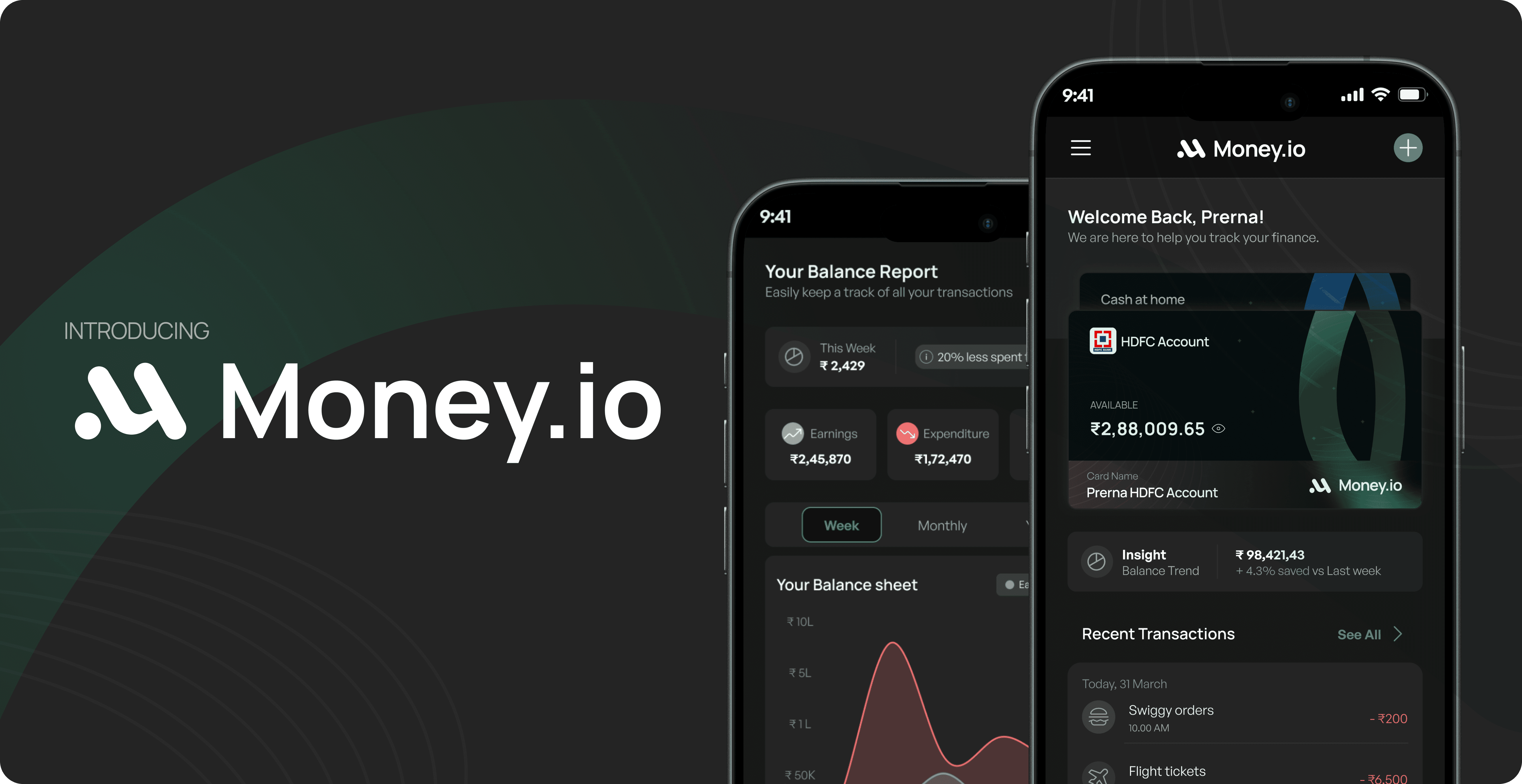

ABOUT PROJECT
Making money management easy for people like me and you so that we don’t end up getting broke and wonder where our money went.
WHAT IS THE PROBLEM?
The convenience and accessibility of online payment methods have made it easier for individuals to make impulsive purchases and spend beyond their means. The absence of physical cash can also desensitize people to the value of their money, leading to less mindful spending habits.
PROBLEM STATEMENT
Complexity in Financial Management
No tracking of expenses end up people being broke
Overwhelming Transaction Management
Difficulty in Budget Adherence
WHAT ARE WE SOLVING?
We are solving to build an easy yet effective support for managing money in this hectic and unnoticed world where people spend so much money without recognising where they did.
SOLUTIONS
Managing Finance
Achieving your budget goals
Tracking daily expenses at ease
Encouraging to learn about your financial knowledge
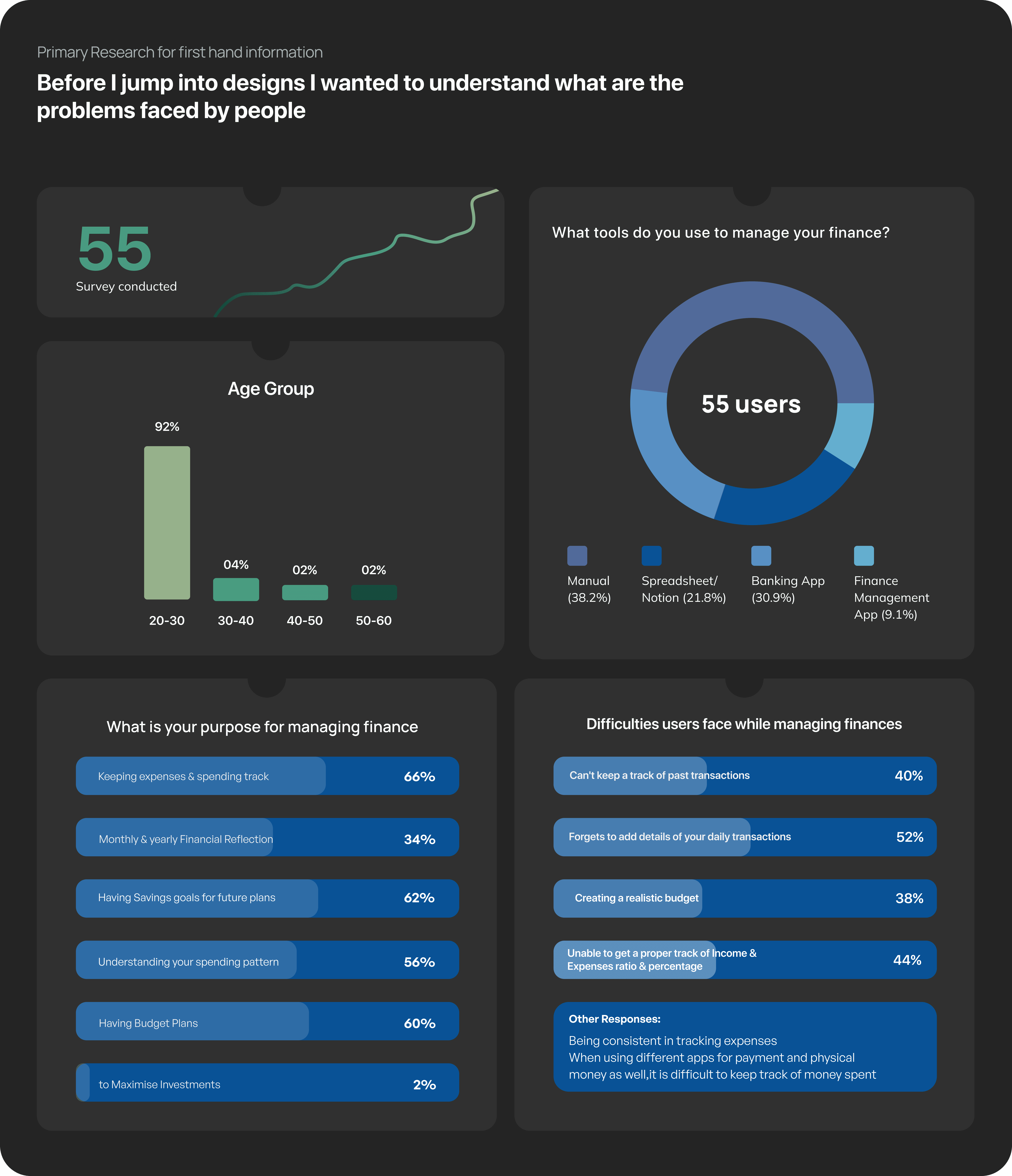
I believe in research before design approach always
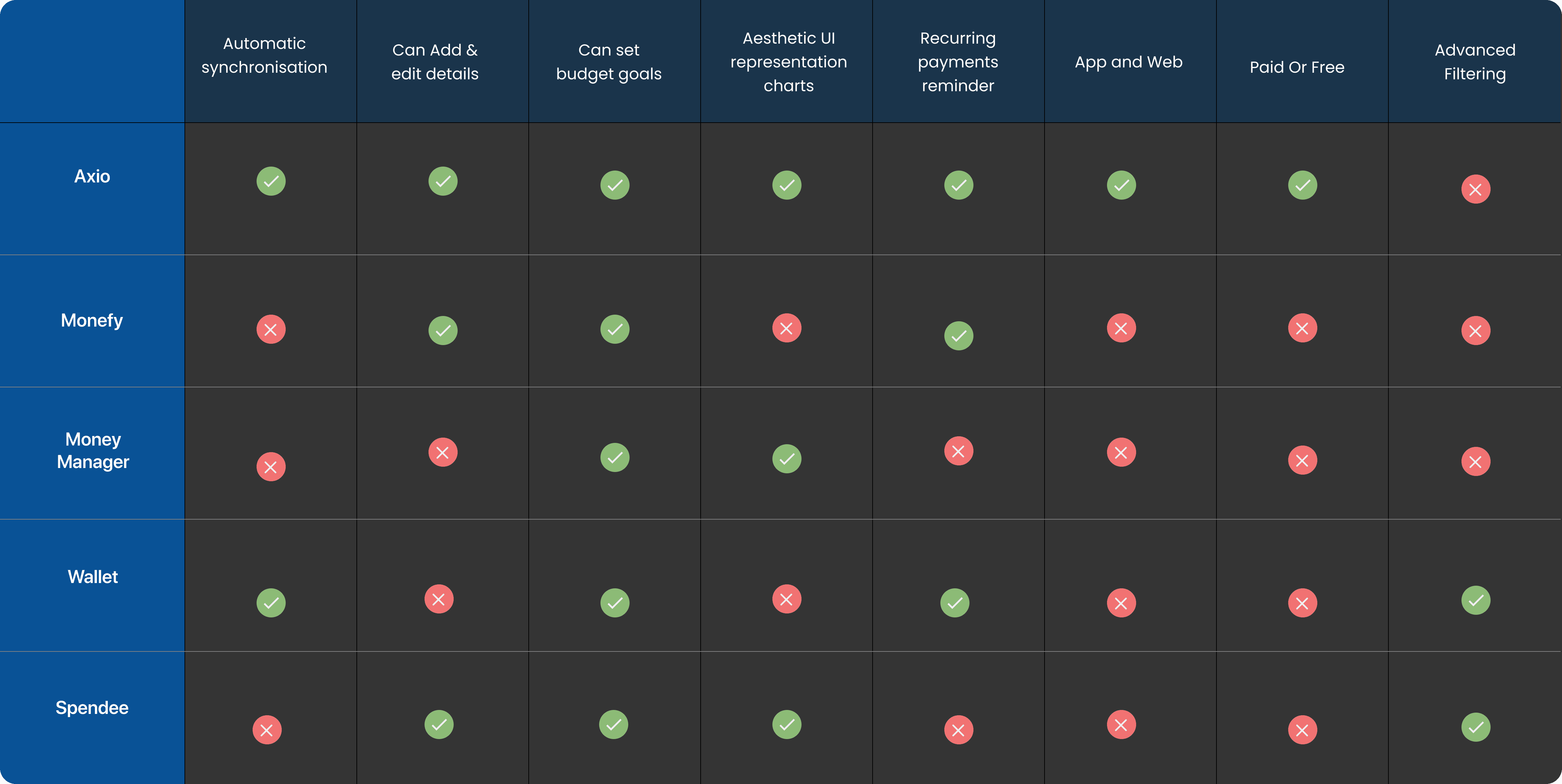
Conducted Secondary research to know the competitor and the current market
Conducting Interviews
User Research
Interviewed 8 Users to understand their behaviour and frustrations while managing their finance.
10
Interviews Conducted
Target User’s were 20+ to 60s
Questions Asked
How do you manage your money/ finance?
Which online platform fo you use to record finance?
What features of the platform do you find more usable and easy?
Which features are important for you ina finance management application?
What are the difficulties you face while recording or keeping track of your finance?
Can you rate your financial knowledge out of 10?
User Persona
Based on Interviews I was able to create user persona to meet the needs of users.

Vijay Bajaj
Uses:
Manually keeps track of his finance
Age:
55
Location:
Ahmednagar
Occupation:
Entrepreneur
🫡
Motivation
To have a stable savings left for his retirement period.
To save enough for his daughter’s future.
To manage finance so that he could invest some in his business to expand and grow.
Track every spending at home as well in business and calculate the budget accordingly.
😫
Pains
Track every spending at home as well in business gets difficult.
Tracks on a paper, so checking pervious records get difficult to find.
Doesn’t have previous records according to each categories.
Maintaining physical budget tracking gets difficult and out of hand.

Jayna Doulani
Uses:
Notes to keep track of her finance
Age:
36
Location:
Miami
Occupation:
Marketing Manager
🫡
Motivation
Maintain a stable budget for her family’s expenses
Save for her children's education and future needs
Invest in retirement funds
Track her expenses and financial progress regularly
Find ways to optimise her savings and investments
😫
Pains
Balancing family expenses and saving goals
Managing a busy work schedule and household responsibilities.
Limited financial knowledge and experience.
Difficulty in identifying the right investment options.
Fear of financial instability and uncertainty.

Atharva Deolalikar
Uses:
Banking app to keep track of his finance
Age:
22
Location:
Pune
Occupation:
Intern as a software devloper
🫡
Motivation
To maintain budget for his each spending areas.
To minimise his spends for future savings and investment.
Save for his parent’s retirement plans.
😫
Pains
Spending without knowing where his money is getting spends mostly.
To not stress about where his stipend money is flowing.
To have standard budget set for each month
Not having enough financial knowledge.
To set budget goals with each area of his expense.
Research Findings

User’s Expectations
People needs categories division of their expenses as well.
Users need budgeting not just overall but also on basis of each category.
It is important to present transactional data into simple and clean representation.

User’s Frustrations
Users tend to forget recording small transactions and often it gets ignored.
The most annoying thing for users is when it takes long to add every detail of expenses in a busy day. It becomes tedious task to add every transaction details
Major Problems Identified

No time to track expenses
Lack of Financial Knowledge
Unaware about the area where the money is being spend.
Unknowingly spending much more than usually use to.
Baffled about budgeting and financial trackers.
Ideating Solutions is where it begins
After all the researching and gathering the information coming up with problems that Users face, It’s time to brainstorm all the possible solution to the problems.
Impactful UI
Simplifying App screens and yet impactful UI
Sectioning Data
Creating Categories based data will make it easy to track the overall incoming and outgoing of money
Financial Guru
Adding tints and sources of Financial articles
Use Tech & AI
SMS & AI integration will make it easy to not write/note every transaction.
Brainstorming
Ideating Solutions
Grouping Solution
Card Sorting
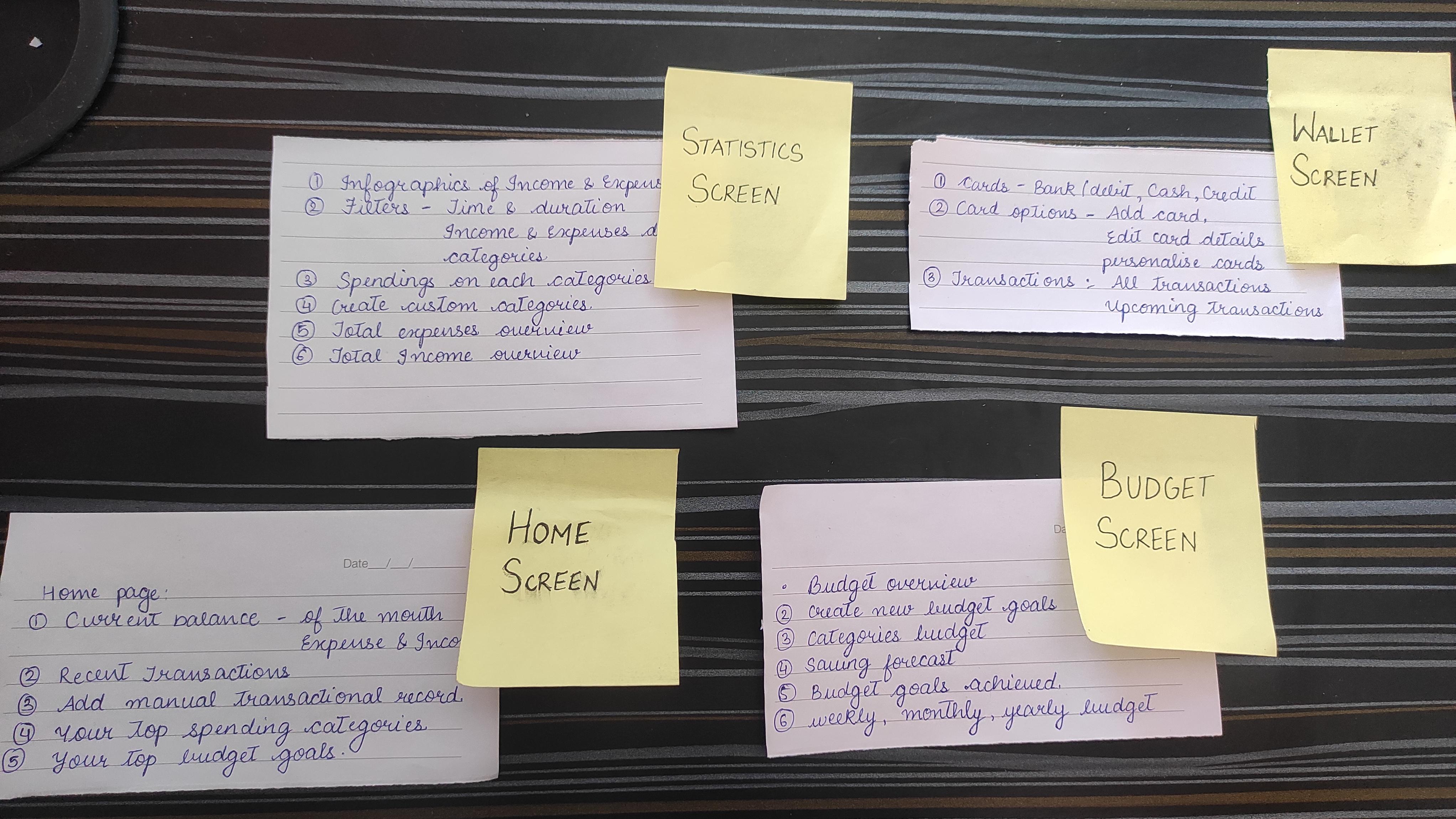
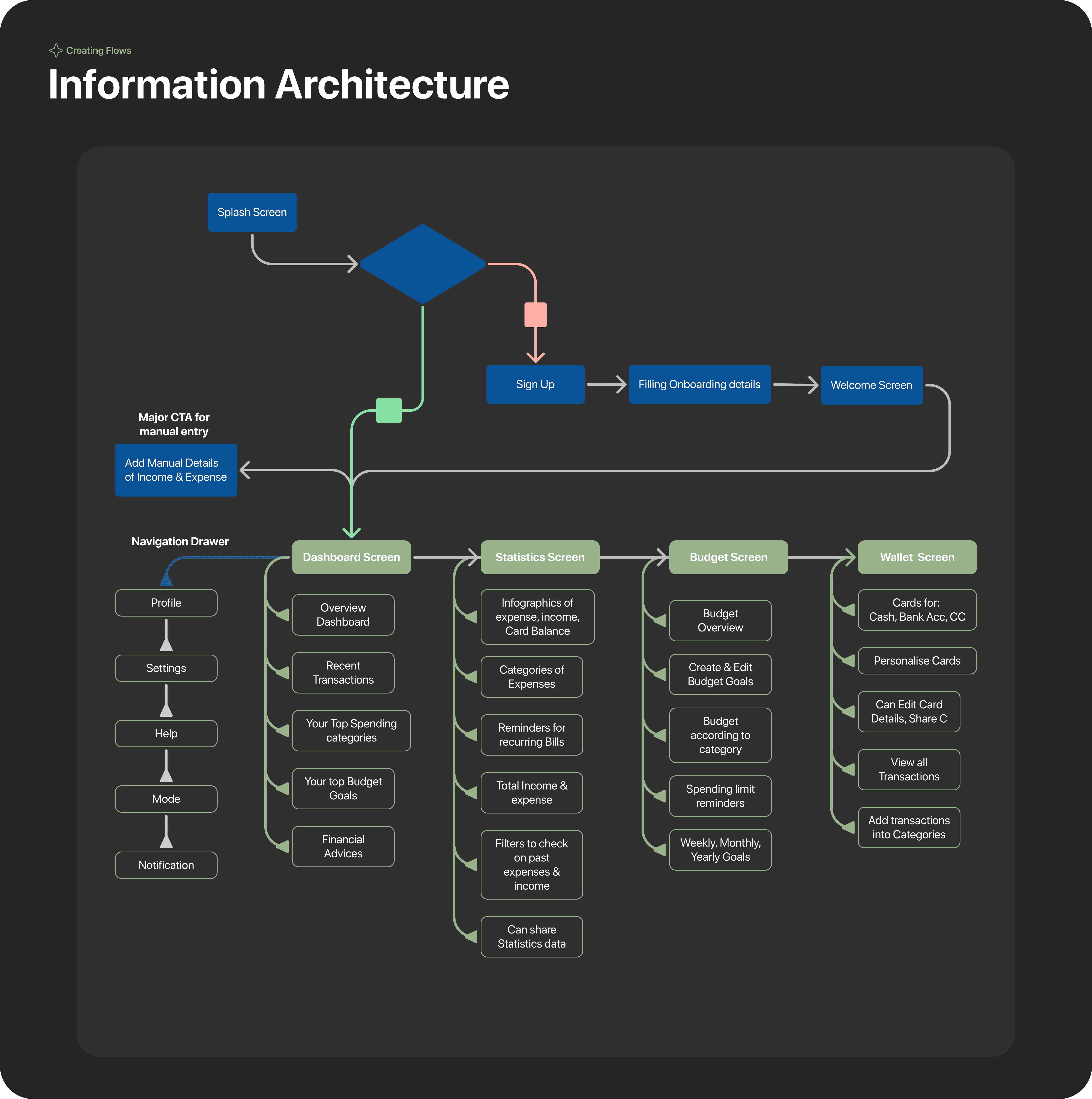
1 Dashboard Screen
Current Balance
Recent transactions
Add manual transactional record
Your top spending categories
Your top budget goals
2 Statistics Screen:
Infographics of Income & expenses
Filters to easy find
Spending on each categories
Create custom categories
total expenses overview
Total income overview
3 Budget Screen
Income & Expenses
Filters by categories, time, Income/Expenses, date
Reminders, Can add manual Transactions.
Infographics of Expenses, income, card balance.
4 Wallet Screen
Cards for Cash, Bank, Debit, credit card balance
Card Options: -Add Card
-Edit card
-personalise card
Transactions:
-All Transactions
-Upcoming Transactions
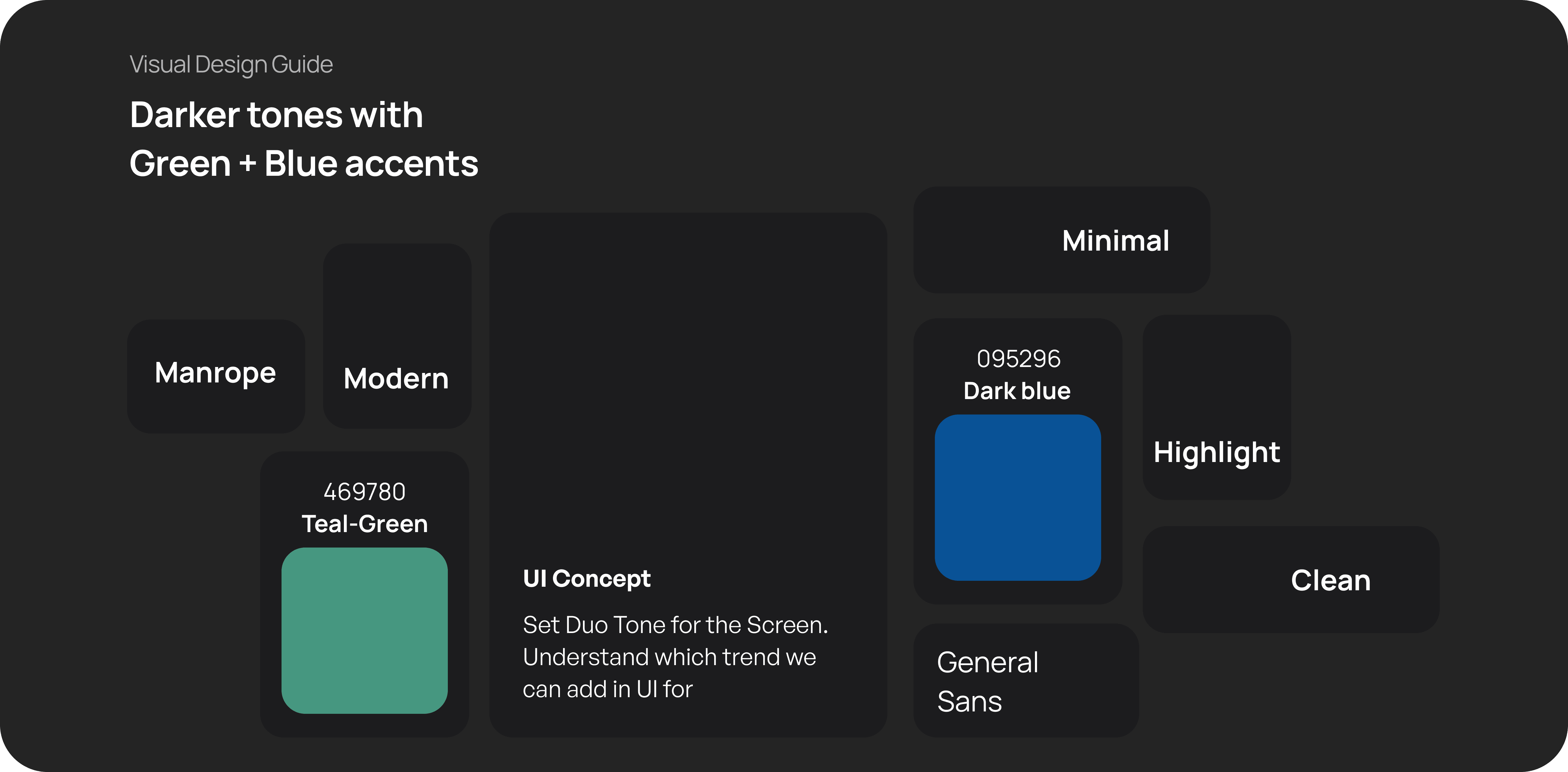
Visual Design is crucial, as every book is judged by its cover.
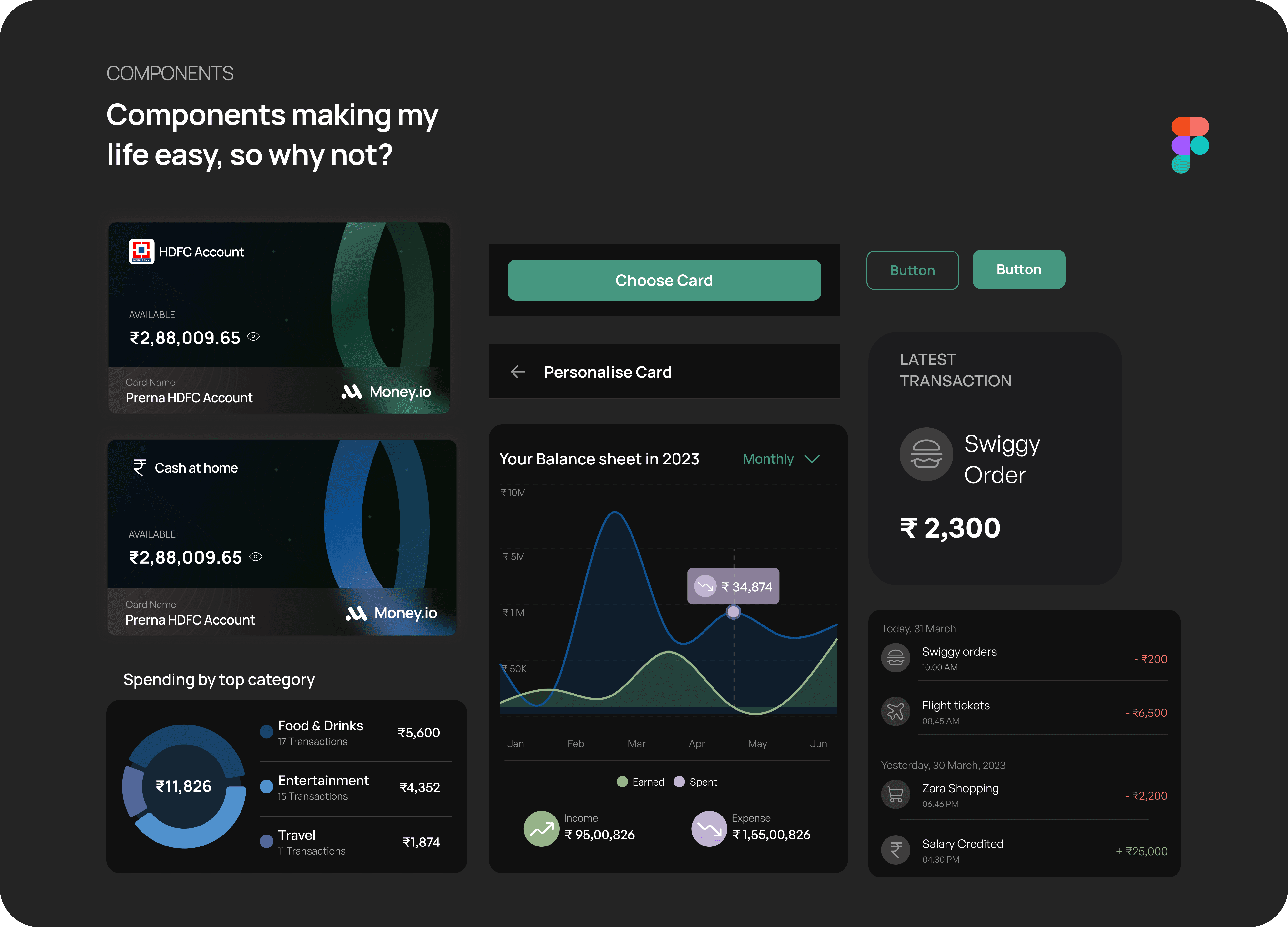
Drum Rolls! here is the Final Design
Onboarding & signup Screens
9:41
Create your account
Enter Name
Prerna Bajaj
Enter Email ID
bajajp186@gmail.com
Enter Password
***********
Link your bank account
HDFC
OTP
I certify that i am 18 year of age or above that. I also agree with the terms and conditions
Create Account
Already have an account? Log In


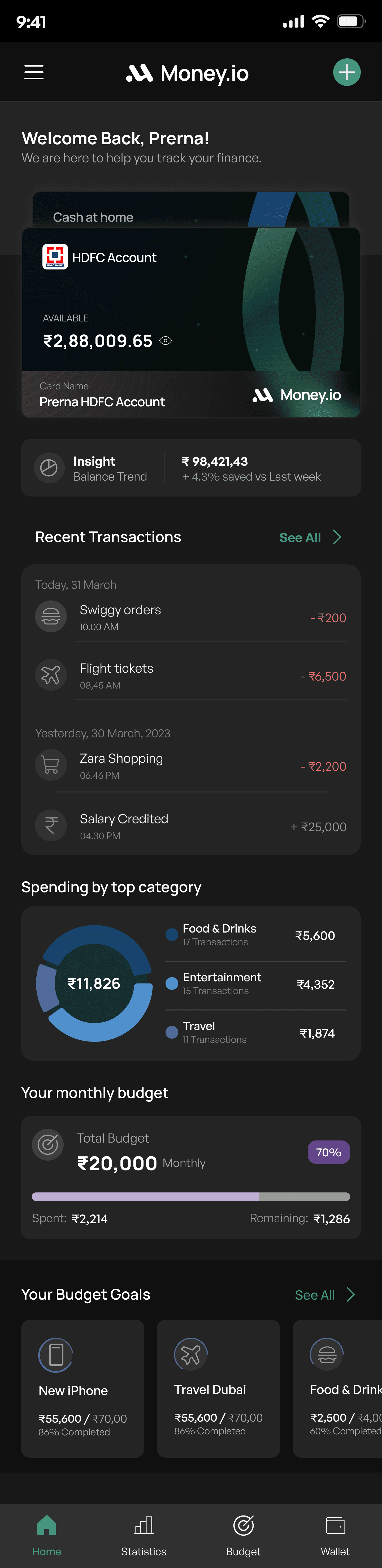
Home Screen
User Impact:
Comprehensive Financial View: Provides a holistic overview of the user's financial health, enabling them to make informed decisions.
Quick Access to Information: Users can easily access important information such as balances, recent transactions, and budget progress, helping them stay on top of their finances.
Account Overview:
Displays multiple accounts with available balances, including a detailed look at the selected account.
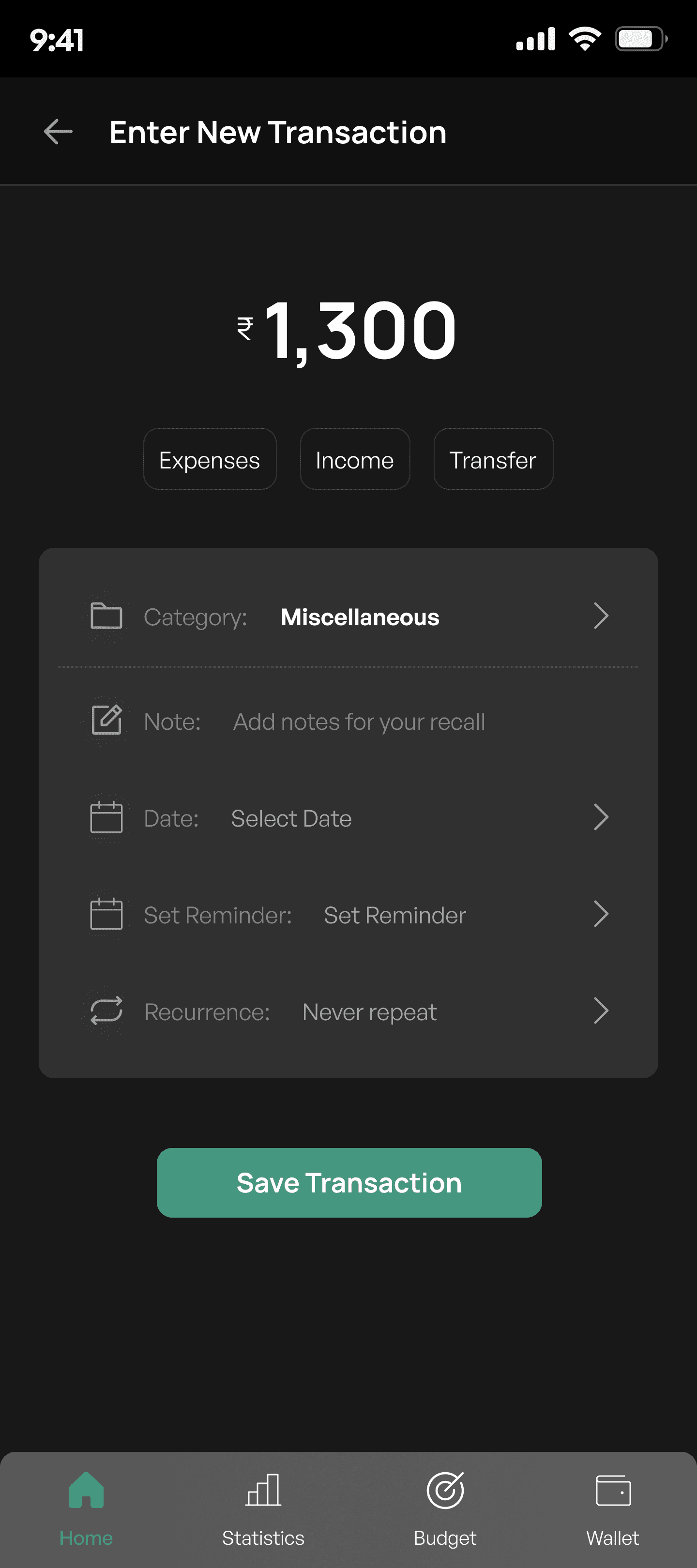
Enter new transactions
For users to add a new transaction entry into their financial records. It allows users to specify the transaction type (Expenses, Income, or Transfer), the amount, and relevant details such as the category, notes, date, reminders, and recurrence.
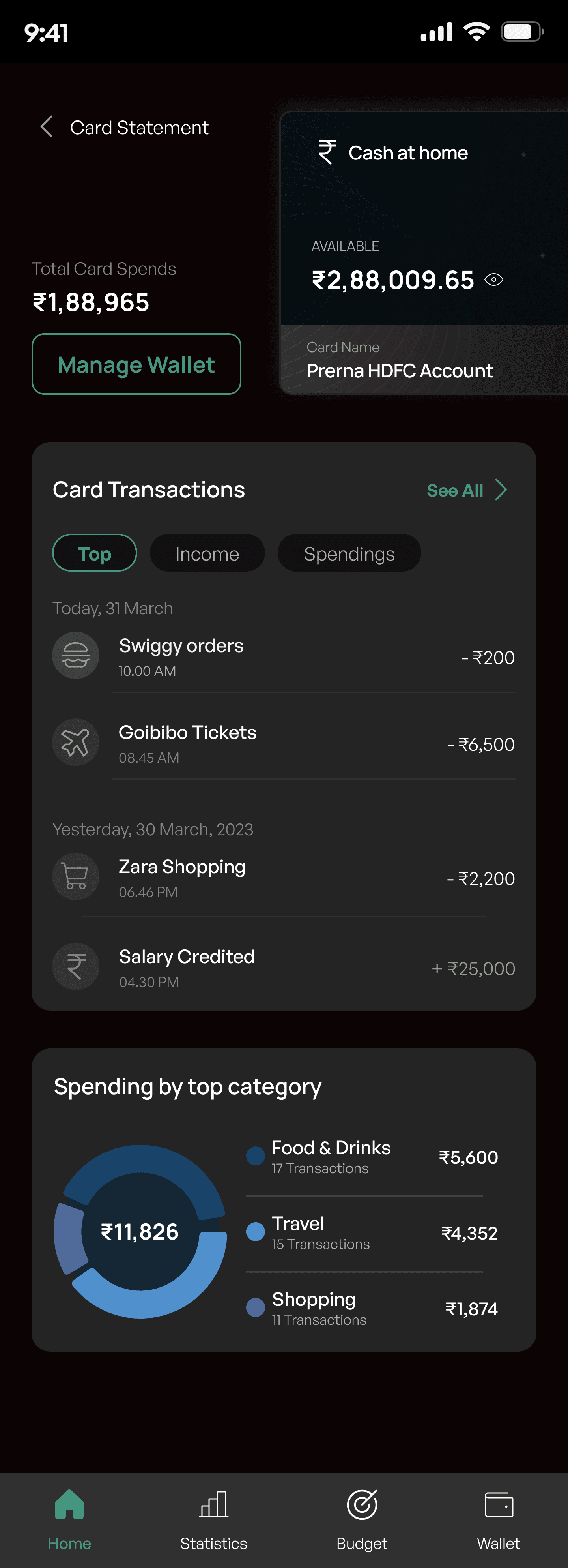
Spending by Top Category
A visual breakdown of spending by top categories, highlighting the most common expenses with a pie chart and corresponding amounts.
Enter New Transaction Screen
User Impact:
Enhanced Financial Tracking: By categorizing transactions and adding detailed notes, users gain a better understanding and control of their finances.
Reminder and Recurrence are alongside some features that help users stay organized and proactive in managing repetitive or future transactions.
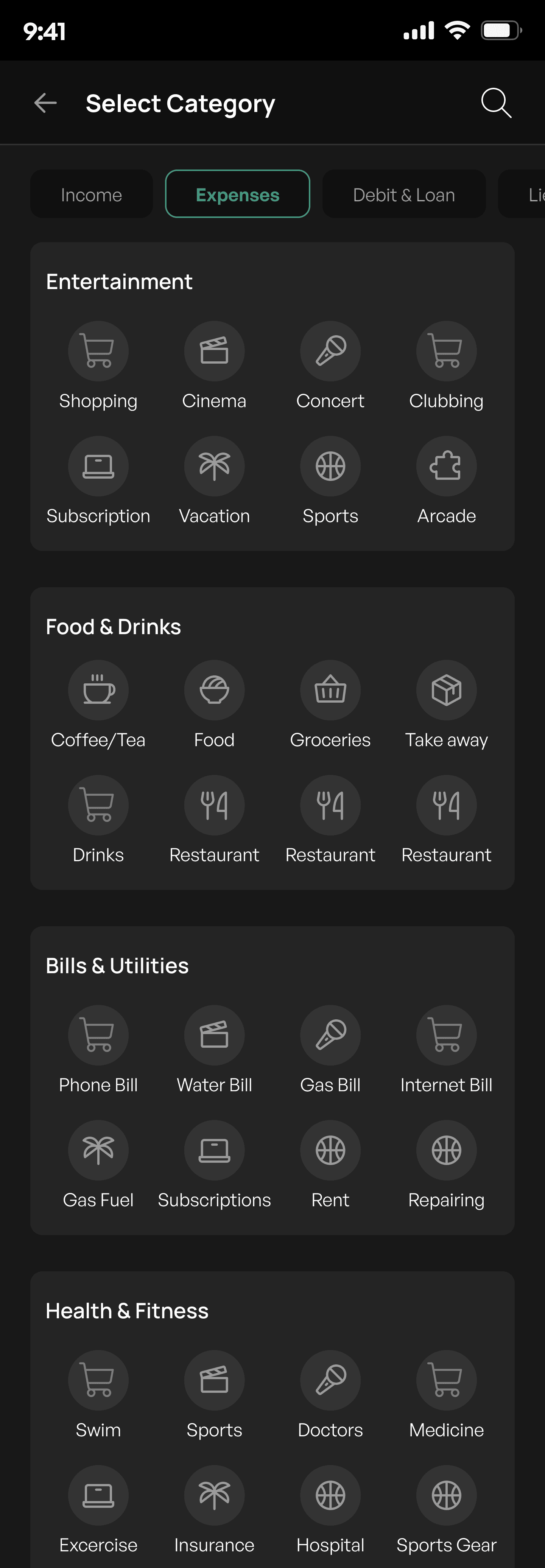
Category and notes
Users can categorise the transaction under predefined categories, with the default set to "Miscellaneous." This will help them to add their expense in the buckets.
Enter new transactions
For users to add a new transaction entry into their financial records. It allows users to specify the transaction type (Expenses, Income, or Transfer), the amount, and relevant details such as the category, notes, date, reminders, and recurrence.
An Infographic representation and stats of your money flows
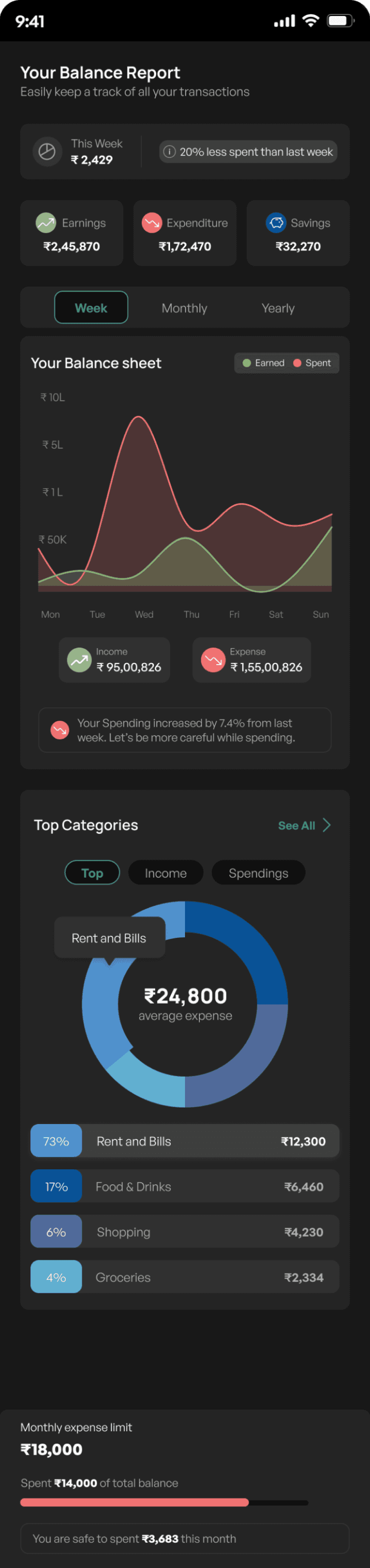
Interactive Balance Sheet
Shows earnings vs. spending trends, highlighting peak spending days to encourage mindful budgeting.
Summary & Insights
Displays weekly balance with spending trends, helping users quickly assess their financial performance.
Top category analysis
Breaks down expenses by category, aiding users in identifying key spending areas for better financial planning.
User Impact:
Empowers users to make informed financial decisions by providing clear, accesible, and actionable insights.
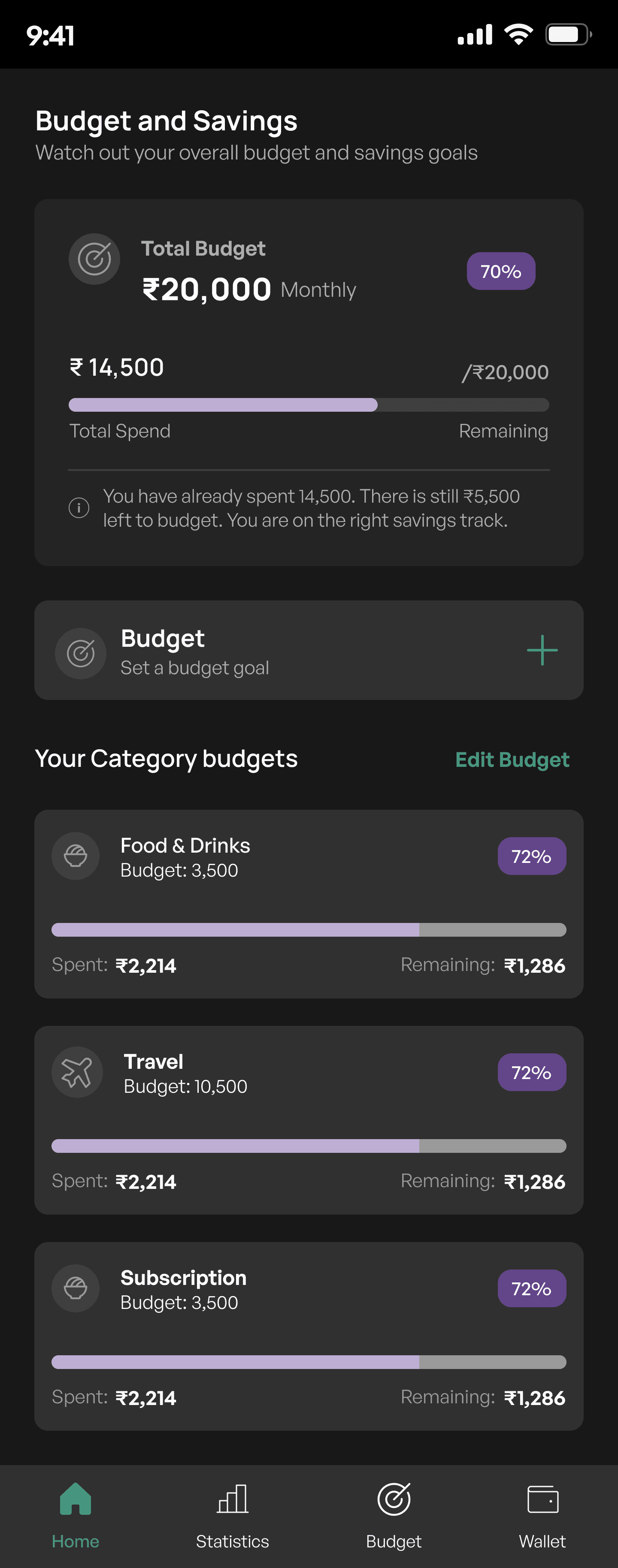
Budget and Savings Screen
Budget Overview
Displays the total monthly budget and the amount already spent, with a progress bar visually indicating the percentage of the budget utilised.
Category Budget
Breaks down spending by category, such as Food & Drinks, Travel, and Subscriptions, showing each category's budget, amount spent, remaining budget, and usage percentage.
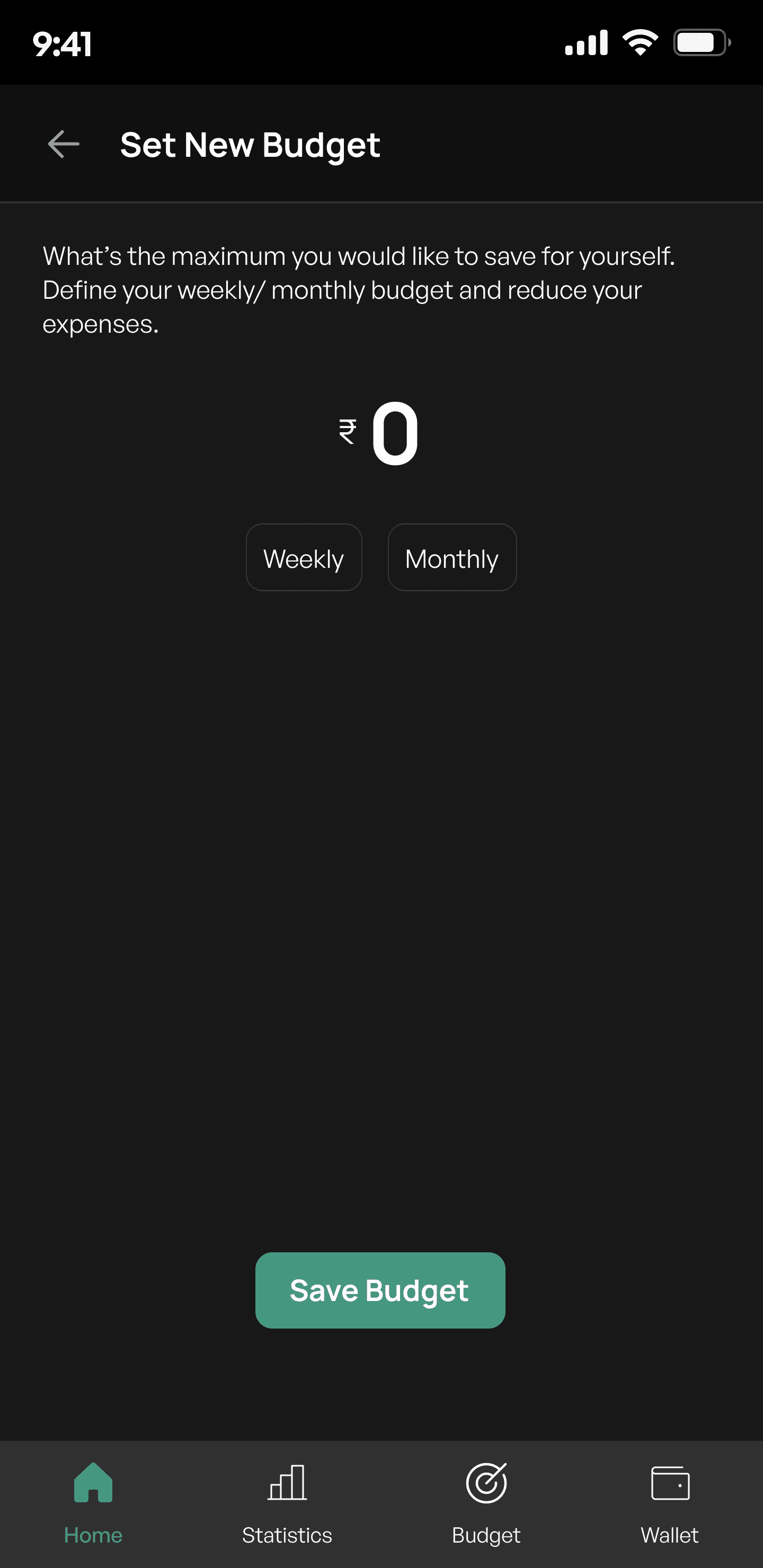
Set New Budget
Create weekly or monthly budget goal
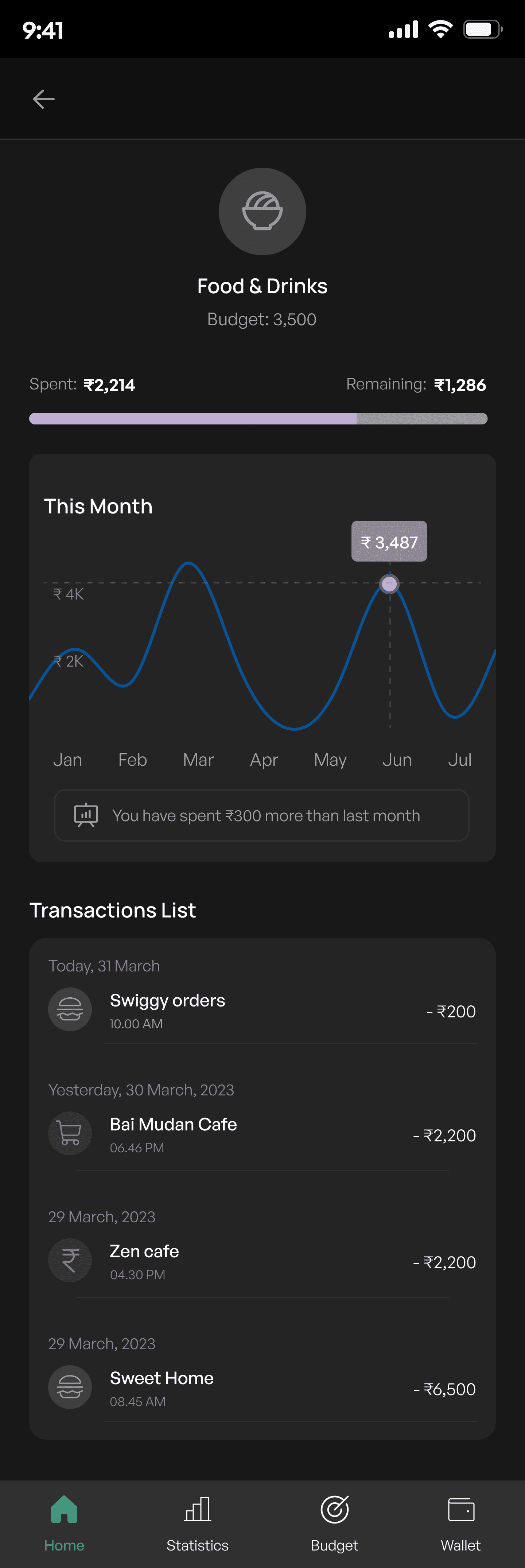
Category Biudget Details
This provides a detailed view of the user's spending within a specific category. It allows users to track their expenses against a set budget, view spending trends over time, and manage individual transactions within that category.
Transaction List
A detailed list of transactions within the category, sorted by date, shows each transaction's description, date, time, and amount spent.
Transactions include icons that visually represent the nature of each expense
User Impact:
Enhanced Financial Awareness: Users can easily see where they stand with their budget, encouraging mindful spending and saving.
Goal-Oriented Design: The ability to set and adjust budgets empowers users to take control of their financial goals, fostering a sense of achievement as they track their progress.
Your digital wallet for your digital money
Card Statement
This gives an overview of each card details. It’s balance, history, spending category
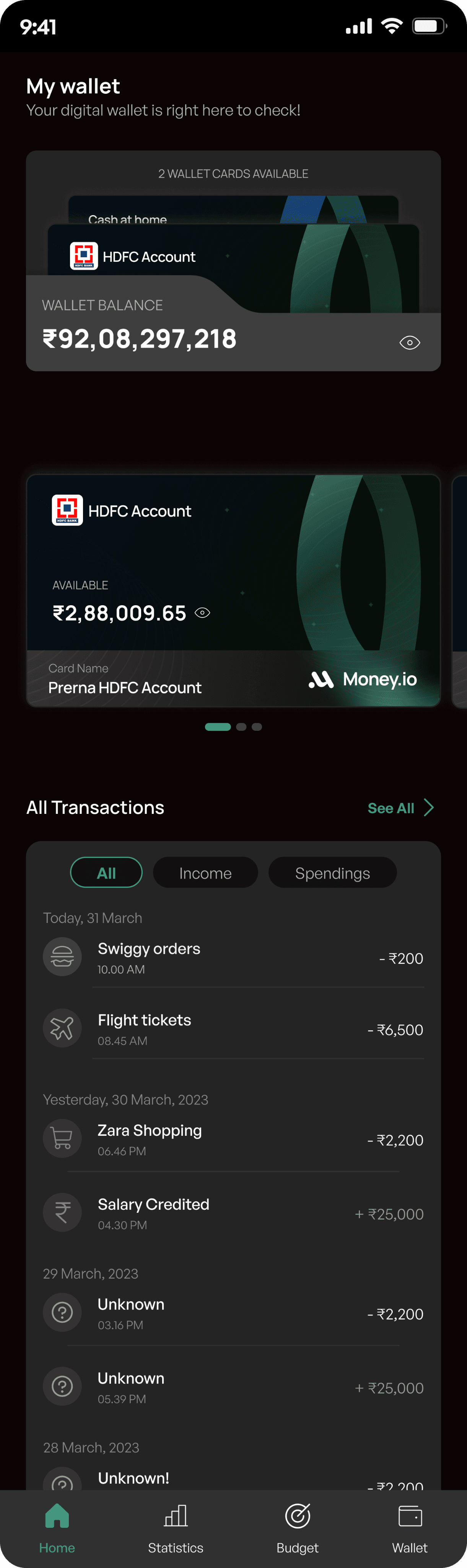
Wallet card display
Users can view multiple accounts or wallet cards, easily switching between them to check balances and manage funds.
Transaction History
A categories transaction list (All, Income, Spendings) allows users to track their spending and income efficently
User Impact:
This screen aims to simplify financial oversight, giving users a clear, organised view of their funds and spending habits in one convenient location.
With a passion project to ease my financial life, here’s my Learnings
User-Centric Design:
Emphasised the importance of understanding user pain points through direct observation and feedback, leading to more intuitive and user-friendly design solutions.
Importance of Data Visualisation:
Learned that visually representing financial data through charts and progress bars significantly improves user comprehension and engagement, making complex information more accessible.
Balancing Functionality and Aesthetics:
Learned to strike a balance between aesthetic appeal and functionality, ensuring that the design is not only visually pleasing but also serves the primary purpose of enhancing financial management.
User Engagement through Personalisation:
Discovered the value of personalised insights and recommendations, which help users feel more connected to the product and encourage consistent use.
Thankyou for scrolling till the end